Key takeaways
- UOKiK reminds us that the receipt isn't the only proof of purchase; payment confirmations, bank statements, emails or witnesses can also help with a complaint (UOKiK consumer rights).
- Google Drive lets you scan bills, letters and bank statements into searchable PDFs (Google Drive Help).
- Adobe Scan uses OCR to turn scans into editable, searchable PDFs (Adobe Acrobat).
- What matters most isn't the scanning app — it's the file name, category and link from the document to a specific thing in the home.
Paper isn't the problem. The lack of a way back is
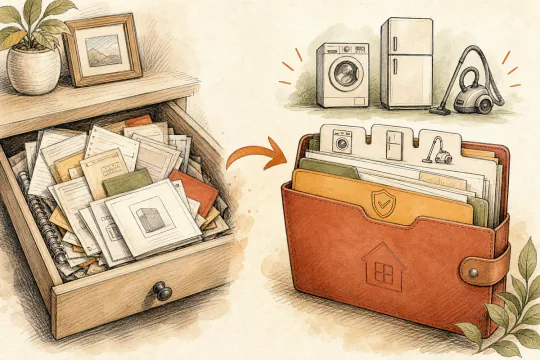
Home documents don't disappear straight away. First they land on the counter. Then in an envelope. Then in the drawer, which already holds old manuals, warranty cards, screws from furniture and two cables of unclear purpose.
For most of the year that doesn't bother you. Until the day you have to prove a washing machine purchase, find an invoice from a plumber's job, or check whether a material from a renovation is still under guarantee.
UOKiK makes it clear that a fiscal receipt isn't required for a complaint, although it does make it easier; other evidence of purchase also counts, e.g. card slips, emails or witnesses (UOKiK). That's good news. But only if you can find that evidence.
What does OCR actually change?
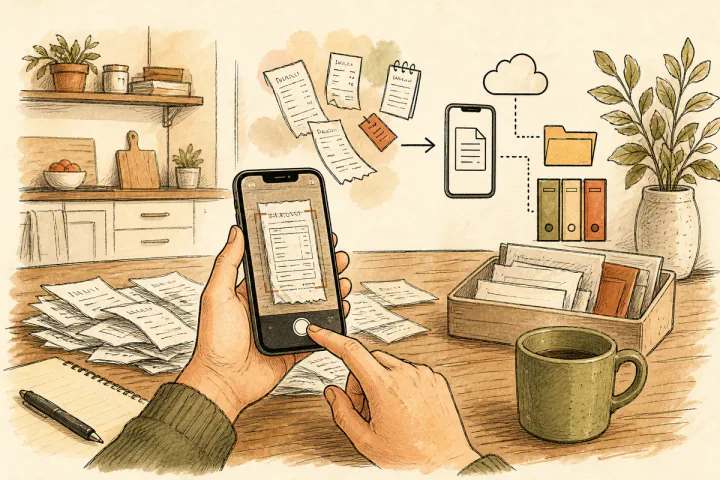
OCR — optical character recognition — turns a document photo from a mere image into a file in which you can search the shop name, amount, invoice number or appliance model.
Google Drive lets you scan documents — like bills and bank statements — and save them as searchable PDFs (Google). Adobe Scan describes a similar mechanism: the app corrects perspective, removes shadows and uses OCR to make searchable PDFs (Adobe).
The technology is already good enough. The weakest point is the person who saves the file as IMG_4821.pdf and throws it into a folder called "Misc".
Which apps work for scanning home documents?
Choice of app is rarely the obstacle. The obstacle is the missing habit. The table below shows options available to Polish users in 2026 so you can choose once and stop thinking about the tool.
| App | Platform | OCR | Free | Notes | |
|---|---|---|---|---|---|
| Google Drive / Scan | Android, iOS | Yes | Yes | Yes | Scanning built into the Drive app; automatic OCR after saving to Google cloud |
| Adobe Scan | Android, iOS | Yes | Yes | Yes (limit) | Corrects perspective and removes shadows; exports searchable PDF; Adobe Acrobat integration |
| Microsoft Lens | Android, iOS | Yes | Yes | Yes | Saves to OneDrive, OneNote or locally; good for tables and slides |
| CamScanner | Android, iOS | Yes | Yes | Yes (limit) | Watermarks in the free version; paid version removes them; popular in Poland |
| Apple built-in scanner | iOS 17+ | Yes | Yes | Yes | Available in the Notes and Files apps; OCR via Text Recognition; no extra install |
For a typical home one app is enough. If you use Android and a Google account, Google Drive is the most convenient because files land straight in a cloud you already know.
A naming system that still works in a year
A good file should be findable without remembering the details. That's why the name should have four elements.
| Element | Example | Why |
|---|---|---|
| Date | 2026-04-10 | sorts documents chronologically |
| Seller | castorama | lets you search by place of purchase |
| Item | bathroom-tap | links the document to a thing |
| Category | renovation | shows the home context |
Example: 2026-04-10_castorama_bathroom-tap_renovation.pdf.
It's not elegant. It's future-proof.
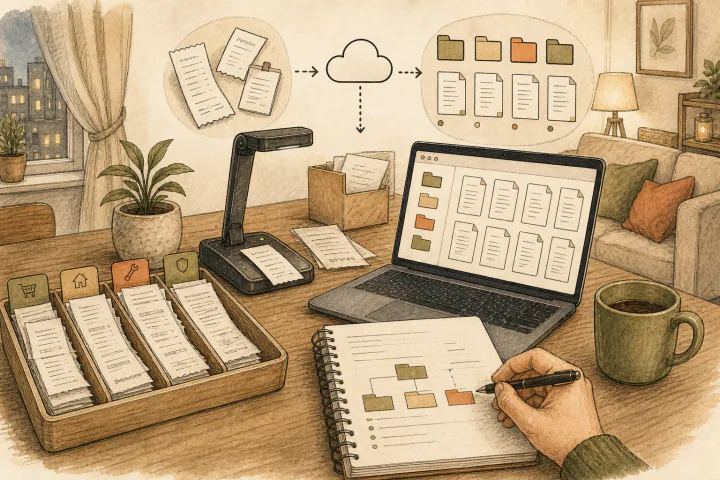
When to scan?
The best moment is straight after purchase, before the receipt fades or ends up in a coat pocket. The second best is once a week, with one small ritual: bills, receipts, invoices, transfer confirmations. 15 minutes. No life reorganisation.
In practice the hardest week is the first. The builder's receipt sits on the counter, "I'll scan it tomorrow" — but tomorrow it's gone again. The simplest solution that works: a basket or tray by the door catching everything when you come back from the shop. Once a week, Sunday evening, phone in hand and 10–15 minutes scanning the whole week's pile. After a month it's a habit, not effort.
Homeward is meant to take over exactly the part no scanning app can: linking the document to the home. A receipt for a kitchen tap isn't just a file — it's part of the kitchen's history, a potential complaint, a warranty, a renovation cost, and a later decision about whether that contractor or product worked out. A folder on disk doesn't make that link by itself. Homeward is in pre-launch — you can join the waitlist for free. More about not losing money on receipts and warranty cards for home appliances in a separate article.
The question of where to keep invoices for building materials and renovation services also has a purely tax dimension. If you claim the thermal-modernisation relief or want to document costs at sale, those documents have a concrete shelf life. We've collected the details in the guide on invoices scattered in four places.
How long should you keep home documents?
Polish law sets concrete deadlines, and not all of them are obvious. A scan is an organisational solution, but the deadlines come from regulations, so worth knowing before you decide what to throw out.
| Document type | Required period | Legal basis |
|---|---|---|
| Tax documents (PIT, expense invoices) | 5 years from the end of the year in which the payment deadline fell | Tax Ordinance, Art. 70 |
| Renovation invoices for thermal-modernisation relief | 5 years from the date of filing the PIT in which the relief was claimed | Art. 26h of the PIT Act |
| Warranty cards | Warranty period + 1 year (limitation of claims) | Civil Code, Art. 118 |
| Technical inspection reports (chimney, gas, installation) | For the entire operating life of the building | Construction Law, Art. 62 |
| Service contracts (plumber, electrician, contractor) | At least 3 years from service performance | Civil Code, Art. 118 |
Five years is a safe horizon for most financial documents tied to the home. For technical reports the rule is simple: as long as you use the home, you keep the documentation.
Scans serve their purpose throughout, provided the file is legible and well named. A digital document won't fade like a thermal receipt and won't get lost during a move.
What to keep on paper?
Not every original needs throwing out. Notarial deeds, mortgage agreements, policies, acceptance reports, grant documents and tax documents are worth keeping per the requirements of each case. The scan then serves as a working copy: it helps you search, remind yourself and prepare a full set.
FAQ
Is a photo of the receipt enough?
For many practical situations a legible scan or photo is enough, but not every case is identical. In a dispute the credibility of the evidence and the ability to show what was bought, when, from whom and for how much is what counts.
What about faded receipts?
Scan them as soon as possible. Thermal receipts fade, especially in heat and light. If the receipt has already faded, look for a card payment confirmation, an invoice, an email or an order history.
How is Homeward different from a regular cloud folder?
A folder stores a file. Homeward is meant to store meaning: which appliance, policy, renovation, cost or deadline the document belongs to.